SponsorBlock
Privacy hash-based segment fetch, skip button with adaptive learning, color-coded scrub bar overlays matching the browser extension palette, and a per-category settings tree.
Privacy hash-based segment fetch
On first play, RuForge hashes the video source_id and queries the SponsorBlock API with a prefix (not the full hash). The API returns matching segments for all categories: sponsor, intro, outro, self-promo, interaction, music_offtopic, chapter, and POI highlights.
- SHA-256 prefix query (k-anonymity, server never sees the full video id)
- Requests all skip/chapter/POI categories, not just sponsor-only
- Segments cached in a .sponsorblock.json sidecar next to the video
- Stale sidecars refresh on next play (no manual clear needed)
Skip button with learning
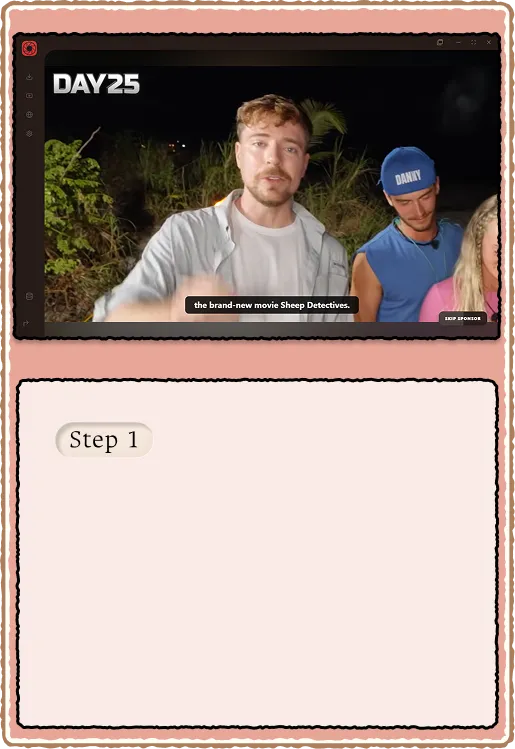
When playback enters a skip-category segment, a colored skip button appears. Press it to jump to the end of the segment. Per-category adaptive learning tracks what you actually skip versus what you sit through. Categories you never skip eventually stop prompting.
- Button fill color matches the segment category
- Per-category skip ratio stored locally
- Learning adapts over time: frequent skips auto-skip, infrequent ones keep the prompt
- Master toggle in Settings > Playback (enabled by default)
Color-coded scrub bar overlay
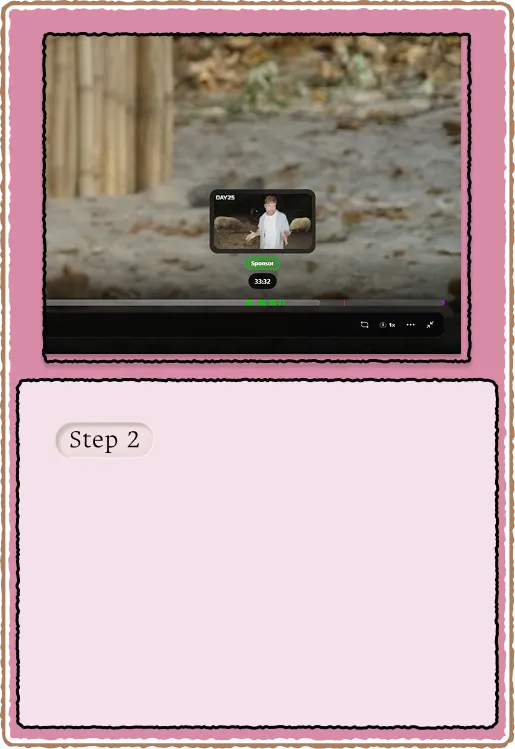
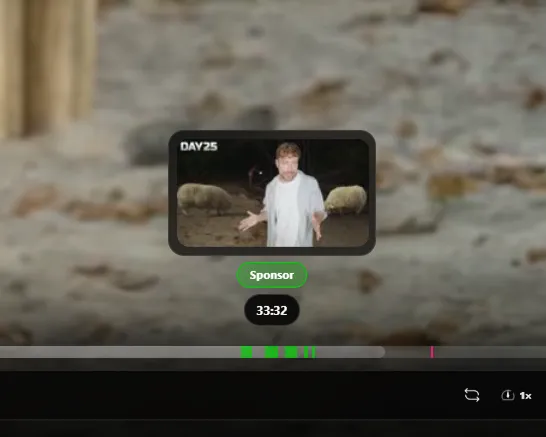
The scrub bar shows colored regions for every segment type. Colors match the official SponsorBlock browser extension palette. POI highlights appear as thin ticks. Chapter segments get their own distinct shade. The overlay renders on both the main player and mini player scrub bars.
- Sponsor: #00d400, Self-promo: #ffff00, Interaction: #cc00ff
- Chapter: #FFC83D, Music off-topic: #ff9900, POI highlight: #FF1684
- Hover tooltip shows segment type name for each colored region
- Overlay opacity 0.7 so underlying progress bar stays readable
Settings tree
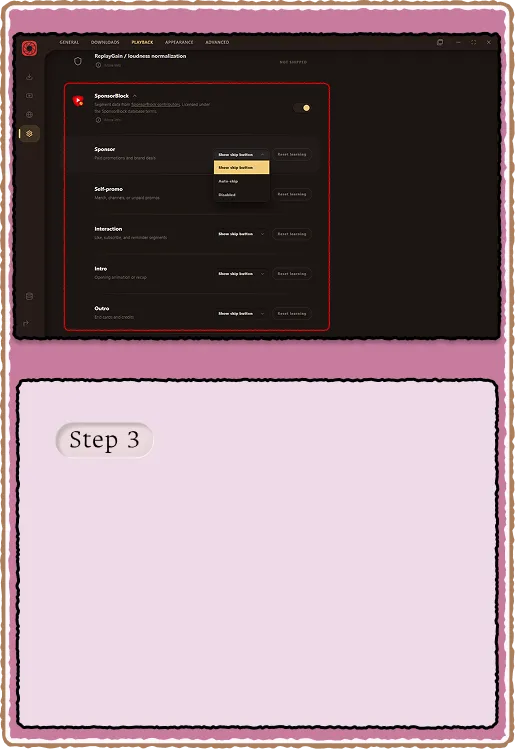
Settings > Playback has a collapsible SponsorBlock tree. Toggle the master switch or drill into per-category controls. Each category shows its skip ratio and lets you force auto-skip, prompt-only, or disable. The SponsorBlock icon uses the bundled SVG from the official extension branding.
- Master toggle: on/off for all SponsorBlock behavior
- Per-category: auto-skip, manual prompt, or disabled
- Skip ratio display: "Skipped 12/15 times" style counters
- Categories: sponsor, selfpromo, interaction, intro, outro, music_offtopic, poi_highlight, chapter