Media Player
Chapter-aware scrubber, sprite hover previews, LED equalizer for audio, draggable subtitles, and smooth auto-advance between files.
Chapter scrubber
If the video has chapters in its yt-dlp sidecar (.info.json), the scrub bar splits into labeled segment pills. Hover a segment to see the chapter title and a thumbnail frame pulled from the sprite sheet. Jump chapters with prev/next buttons or Shift+Arrow keys.
- Chapters parsed from .info.json and normalized against video duration
- CSS grid columns (fr units) so segments never overflow the bar
- Long chapter titles use MarqueeText scroll instead of clipping
- Chapter data stays local in the sidecar, no extra API calls needed
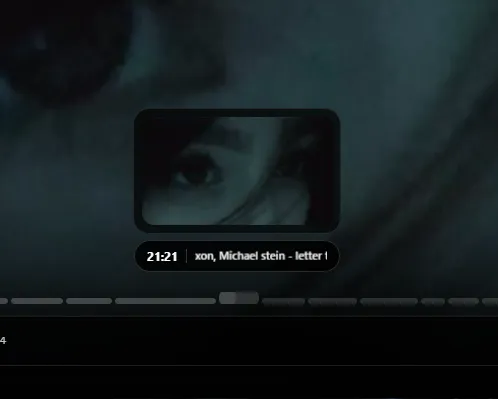
Scrubber previews and controls
On download (or on demand), ffmpeg generates sprite sheets for hover thumbnails. Move your cursor over the scrub bar and see the exact frame at that position. The frosted control dock at the bottom holds play/pause, volume, loop, and secondary actions in a More menu.
- Sprite sheets built by ffmpeg at configurable intervals
- Global hover line tracks cursor position across simple and chapter bars
- Auto-advance: next file in folder queue, then sorted library list
- Keyboard: Space play/pause, arrows seek, M mute, F fullscreen
Audio-only playback
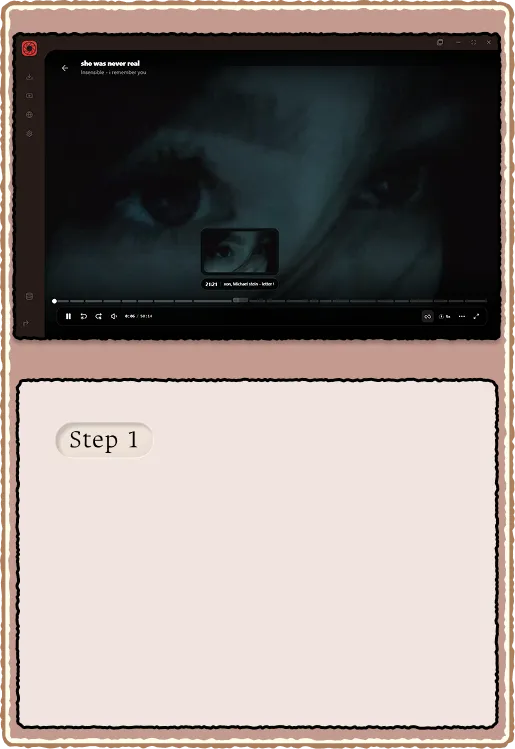
When you open an audio file, the video area becomes a full LED equalizer hero. 90 frequency bars react to the music via Web Audio AnalyserNode. Cover art fills the background with blur. Side waveforms animate alongside the bars.
- Whispers-style full-canvas 90-bar dancer (loudness-driven, not frequency-mapped)
- Adaptive visible row window tracks recent peak usage
- captureStream() tap so bars follow actual playback in WebView2
- Falls back to media-element source if captureStream reads silence
Subtitles and transitions
Custom subtitle overlay renders VTT cues directly over the video element (native track stays hidden). The overlay is vertically draggable and clamped so captions never sit under the progress bar. Video transitions between files use an opacity dip without remounting the element.
- VTT cue rendering with useSubtitleCueOverlay hook
- Vertical drag position persists in localStorage
- Layout clamps against scrub strip ref and player shell
- No flash on auto-advance: opacity dip, not element remount